Express, the world’s most used Node.js framework, empowers developers to create backend web servers with JavaScript. This framework provides most of what backend developers need out of the box, simplifying routing and responding to web requests.
We already have a guide on everything you should know about Express.js, so this hands-on article will show you how to use it. This tutorial explains how to create and deploy an example Node.js app using Express.js.
How To Make Apps Quickly With Express.js
This walkthrough demonstrates how to create a web application that takes requests to an endpoint, uses a parameter from the request to make a database call, and returns information from the database as JSON.
Prerequisites
To follow this tutorial, ensure you have the following installed on your computer:
- Node.js and Node Package Manager (npm) — Essential runtime environment and package manager for JavaScript.
- Git — Distributed version control system facilitating collaborative software development.
Express Application Generator
You can add Express to existing Node apps using the process outlined in our Express.js guide, but if you’re starting from scratch, there’s an even faster option: the Express generator.
The official Express generator from Express.js is a Node package that allows you to generate a new application skeleton. This can be done by first creating a folder for your application and then running the npx command (available in Node.js 8.2.0):
mkdir express-application
npx express-generator
Upon successful generation, the terminal displays a list of folders/files created and commands for installing dependencies and running the application. Install the dependencies by running the command below:
npm installNext, launch your web server:
DEBUG=myapp:* npm startThe skeleton application has a prebuilt index route that renders a basic home page. You can view this in your browser by visiting localhost:3000.
Exploring the Skeleton Express Application
When you open your Express application in your preferred code editor, you will find a basic structure that forms the backbone of your web application.
/
|-- /node_modules
|-- /public
|-- /routes
    |-- index.js
    |-- users.js
|-- /views
    |-- error.jade
    |-- index.jade
    |-- layout.jade
|-- app.js
|-- package.json- node_modules: This directory stores all the installed dependencies and libraries for the project.
- public: Contains static assets like CSS, JavaScript, images, etc. These files are served directly to the client’s browser.
- routes: Holds files responsible for defining various routes and handling requests coming from different URLs.
- views: Contains templates or views that the server renders to create the user interface. Here, error.jade, index.jade, and layout.jade are templates written in the Jade templating language. They help structure and render dynamic content to users.
- app.js: This file typically serves as the entry point for the Express application. It’s where the server is configured, middleware is set up, routes are defined, and requests and responses are handled.
- package.json: This file contains metadata about the application. It helps manage dependencies and project configuration.
Understanding Route Handling
In your Express application, the routes directory is where routes are defined as separate files. The primary route, often called the index route, resides in the routes/index.js file.
This index route deals with a GET request, responding with a web page generated in HTML by the framework. Below is the code snippet illustrating how a GET request is handled to render a basic welcome page:
var express = require('express');
var router = express.Router();

/* GET home page. */
router.get('/', function(req, res, next) {
 res.render('index', { title: 'Express' });
});

module.exports = router;
If you modify the res.render() function to res.send(), the response type changes from HTML to JSON:
var express = require('express');
var router = express.Router();

router.get('/', function(req, res, next) {
  res.send({ key: 'value' });
});

module.exports = router;
Expanding the capabilities, another route is added to the same file, introducing a new endpoint that accepts a parameter. This code snippet demonstrates how your application can handle traffic on a different endpoint, extract a parameter, and respond with its value in JSON:
/* GET a new resource */
router.get('/newEndpoint', function(req, res, next) {
  res.send({ yourParam: req.query.someParam });
});
Sending a GET request to localhost:3000/newEndpoint?someParam=whatever will yield JSON output containing the string “whatever”.
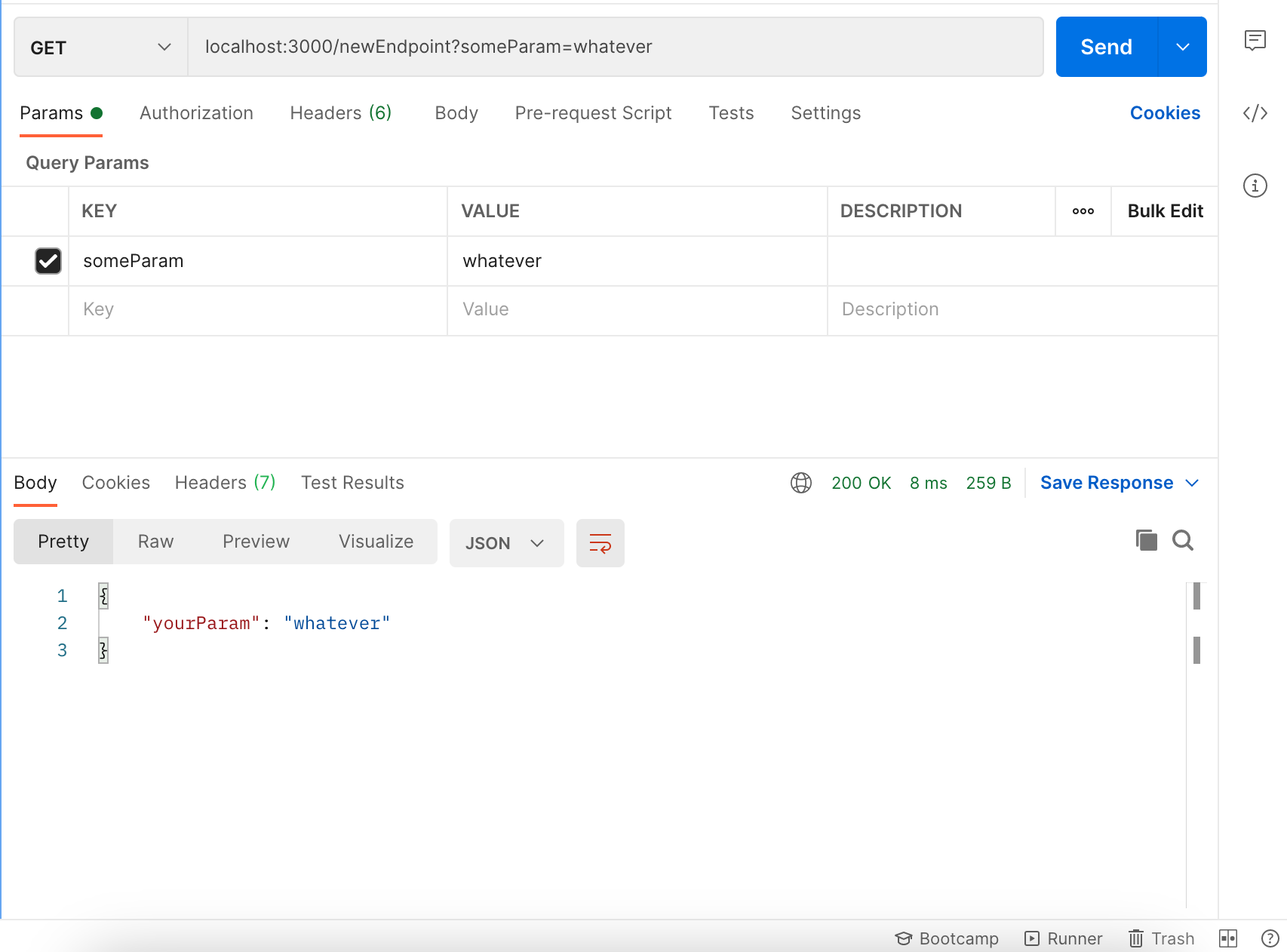
You can check out the complete project code on GitHub.
Summary
This article demonstrated how the Express framework makes creating a Node.js application quick and easy. You can create a new application with the Express generator in just a few simple steps. With Sevalla Application Hosting, deploying the app is streamlined and requires minimal setup.
What are your thoughts on the Express application generator? Have you utilized it to develop any applications previously? Feel free to share your experiences in the comments below!